Notice
You are now leaving Polygon Restoration's website and will be directed to another country in the group.
Do you want to proceed?
Notice
You are now leaving Polygon Restoration's website and will be directed to another country in the group.
Do you want to proceed?
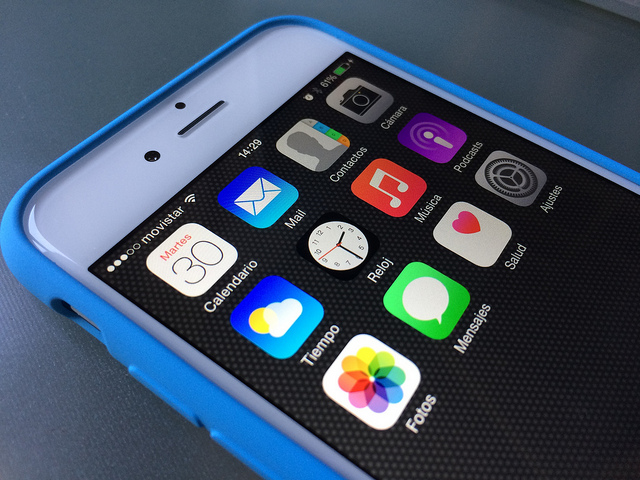
Just as you use a smartphone to receive emails and news updates, your disaster preparedness plan can go mobile, too. Your cell phone or tablet may serve as a lifeline or a way to communicate with employees, execute response plans and connect with family members during any stage of a disaster. As most mobile networks often remain active when landlines are down, you may be able to learn more about a situation using cellular data networks or available Wi-Fi hotspots. With the right preparation, mobile technology serves as an effective resource that you can integrate into a disaster preparedness plan to keep recovery efforts moving forward.
Dedicate an emergency preparedness training session at your company to text alerts, particularly if your company issues mobile phones to employees. In addition to providing workers with important numbers to store in their phones, take the time to ensure that all the employees know how to use the text-messaging feature. By bringing the pertinent information to your employees via text message alerts, the information comes directly to them, ensuring that they are better prepared when disaster strikes.
The Federal Emergency Management Agency (FEMA) offers a text-messaging program that provides safety tips about specific types of disasters. In addition, they offer information about shelters and disaster recovery centers. To receive general preparedness tips every month, text PREPARE to 43362 (4FEMA).
If you’d like to receive bi-monthly safety tips, text one of the following keywords to 43362 (4FEMA):
To learn about open shelters in your area after a disaster, text SHELTER and your zip code to 43362 (4FEMA). For information about open Disaster Recovery Centers, text DRC and your zip code to 43362 (4FEMA).
For example, if you live in Seattle, Washington, you’d text “SHELTER 98102” to 43362.
If you’re able to connect to the Internet during a disaster, check out Google Public Alerts. The site provides current alerts issued around the nation, as well as alerts that are specific to your state.
Other websites that you may find helpful include:
Some communities use a service that will call you, send you a text message or send an email free of charge when there is a disaster or emergency in your area. All you have to do is sign up for the service. Check with your city or county’s emergency management office to learn if this service is available and the details about how to sign up.
The Android and iOS markets have a variety of apps dedicated to safety, natural disasters, and emergency preparedness. Notable apps include:
Smartphones and tablets are ineffective during a disaster if they don’t have power or get water damage. Consider adding the following to your disaster preparedness kits:
Incorporating the latest technology into your disaster preparedness plan will help mobilize your recovery efforts. Technology is always innovating to and so should your business’ preparedness plan. As the frequency, size, and reach of disasters continue to increase, preparedness is more important than ever. While mobile devices can provide instant information before, during, and after a disaster, keep in mind that they are not a replacement for emergency services. If you have an emergency, please call 9-1-1 for help.

Emergency Support
1-800-422-6379Send an email
us_info@polygongroup.com24/7 Hotline
Urgent equipment and operational support
Property damage
Documents and contents damage
24/7 Emergency:
United States: 1-800-422-6379
Canada: 1-888-702-4782
Your questions and comments are important to us. Please send us your information with a description of your needs and we will connect with you promptly.
Polygon US Headquarters
15 Sharpners Pond Road, Building F North Andover, MA 01845
Phone: 1-800-422-6379
See all our US locations here: Polygon US office locations
For global support, please contact one of our offices listed here: Our Global offices - Polygon Group